Reader defaults
The Reader tab sets what players see when they enter the world.
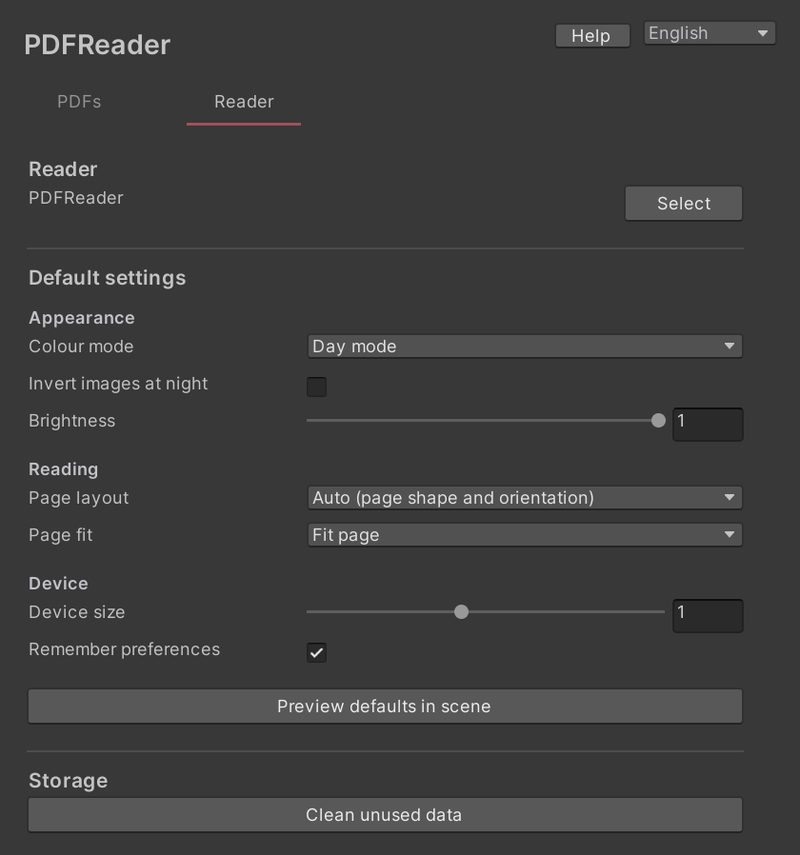
- Colour mode: Day mode or Night mode
- Invert images at night: whether images are also inverted in Night mode
- Brightness
- Page layout: Auto (page shape and orientation), Single page, or Two pages
- Page fit: Fit width or Fit page
- Device size
- Remember preferences: keep each player’s own changes for next time
Preview defaults in scene applies the settings to the reader in your scene.
Storage
Clean unused data removes shared data that no document uses any more. PDFs you have added are kept.
Only the PDFs in your world and the characters they use are uploaded. Removing PDFs you do not need keeps the world smaller.